
More in “For doctors and specialists”
For doctors and specialists
How do I use My examinations?
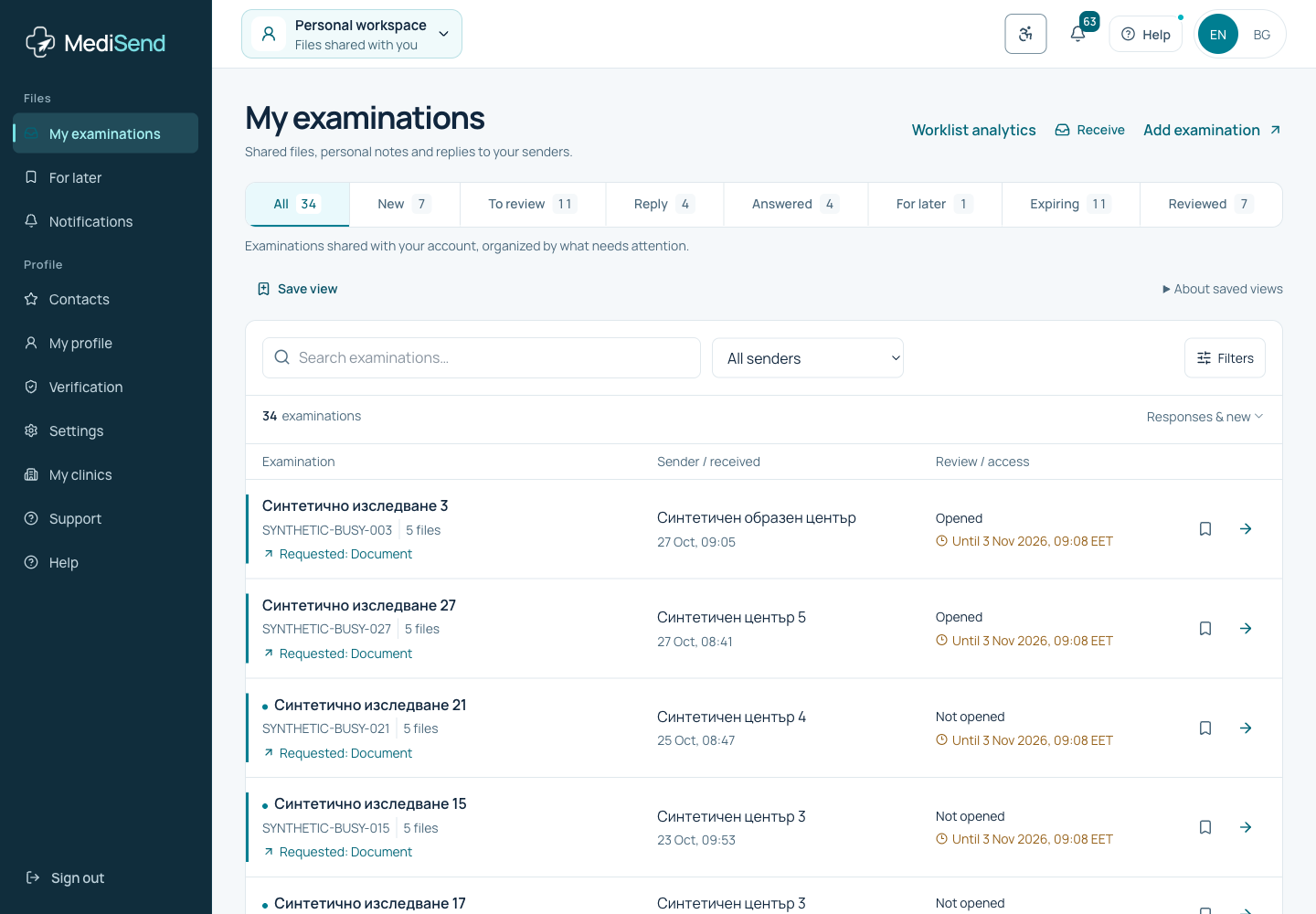
Your personal inbox contains only explicitly authorized examinations. Choose a task, open the files and record review or a reply under the permissions granted.
Save a worklist view
Set your filters and choose Save view. Up to six views stay in this browser for this account; clinic views are separate for each clinic and permission set. Select a saved view to apply it, or use its adjacent remove button. Search text, sender and dates are not saved and are cleared when applying a view. Files and medical data are not stored with views. The server checks access again.
Find responses already submitted
In My examinations, choose Answered. It contains accessible examinations to which you submitted a response. Use search and the sender filter. A Reviewed marker or personal note alone does not submit a response. Access expiry and revocation still apply.
Where examinations come from
A clinic can explicitly select you as a verified discoverable doctor. You can also add an examination using its supplied secure link or code/PIN. Account linking, registration and a matching contact do not grant automatic access.
Daily work
- 1In My examinations, choose a visible view: All, New, Reply, For later, Expiring or Reviewed.
- 2Open the examination and check sender, permitted files and expiry.
- 3Preview a PDF or image, or download a permitted file. Open DICOM in your specialist software.
- 4Choose Mark reviewed, return a result or request a missing file when permitted.
Opening, review and expiry
Opened does not mean reviewed. Personal notes and markers do not extend access. Switching clinic or account cannot unlock an expired or revoked examination; contact the sender.
Example: your personal worklist
Ready to continue?
Open the relevant workspace. Your current role and access still apply.
Related articles
- How do I find an examination with filters?
- How does a doctor return a result or request a file?
- Who can see my personal note?
- How does clinic staff activate My examinations?
Last updated: 02/11/2026
Was this article helpful?