
More in “Handovers”
Handovers
How do I assign several tasks to a colleague?
Select up to 100 eligible tasks in the complete work queue, including across pages. Review your selection, choose a colleague and confirm explicitly.
Select and review
Checkboxes appear only when coordination is permitted. Select eligible tasks on this page adds currently eligible rows up to the total limit. Selection from other pages remains in the bar after filtering. Review all selected tasks and current assignees before applying.
Concurrent changes or withdrawn permission
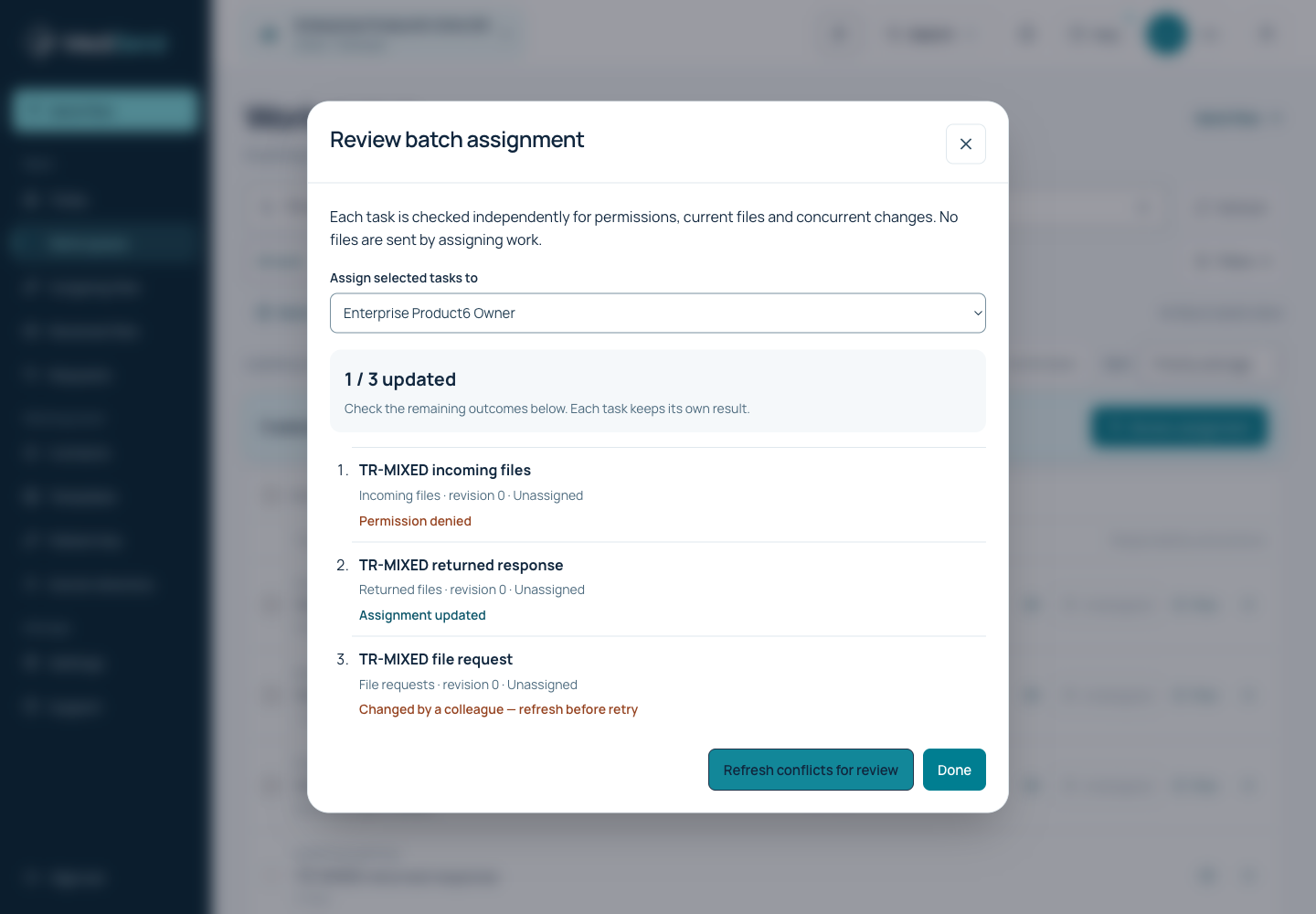
Results are per task: applied, conflict, denied or no longer available. A conflict means the task changed after selection; it is not overwritten automatically. Refresh conflicting tasks, review current state and confirm a new operation. Successful rows are not applied again.
Interrupted connection
If the response is lost, use the on-screen retry for the same operation. It checks the same reference instead of creating a second change. Keep the page open until the result is confirmed. Switching clinic or account clears the temporary selection.
Example: an individual result for each task
Ready to continue?
Open the relevant workspace. Your current role and access still apply.
Related articles
Last updated: 02/11/2026
Was this article helpful?